
More clients
Appear in the FacturaFácil directory and get freelancers looking for an advisor.
Manage invoicing, expenses and taxes for freelancers and SMEs from one platform. With your brand, your staff and your processes.
Free to start · No lock-in · Active subscriptions at a discount
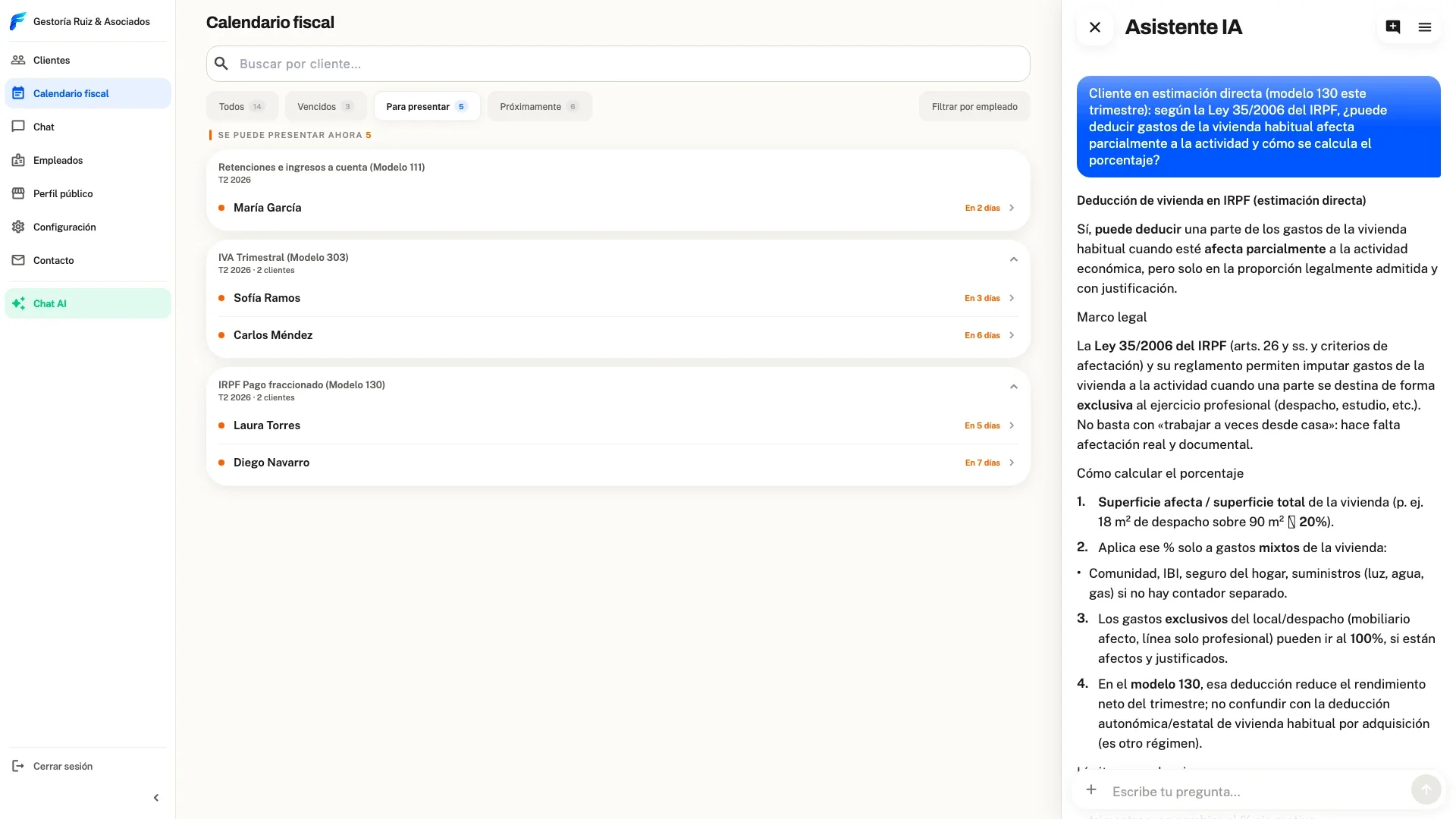
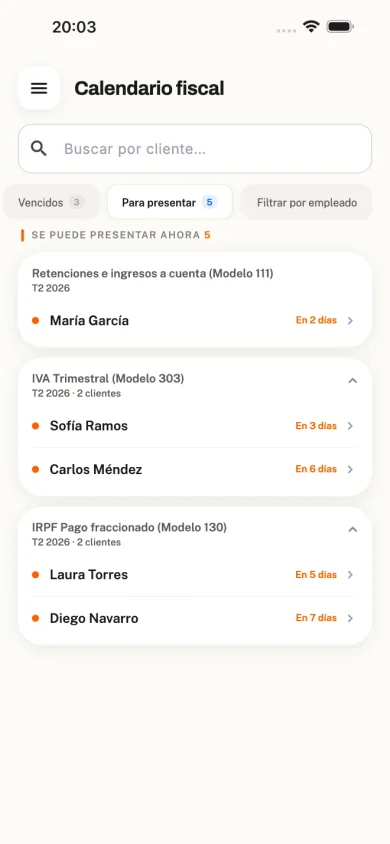
Appear in the FacturaFácil directory and get freelancers looking for an advisor.
Centralise invoices, expenses and taxes with AI and cut the back-and-forth on WhatsApp and email.
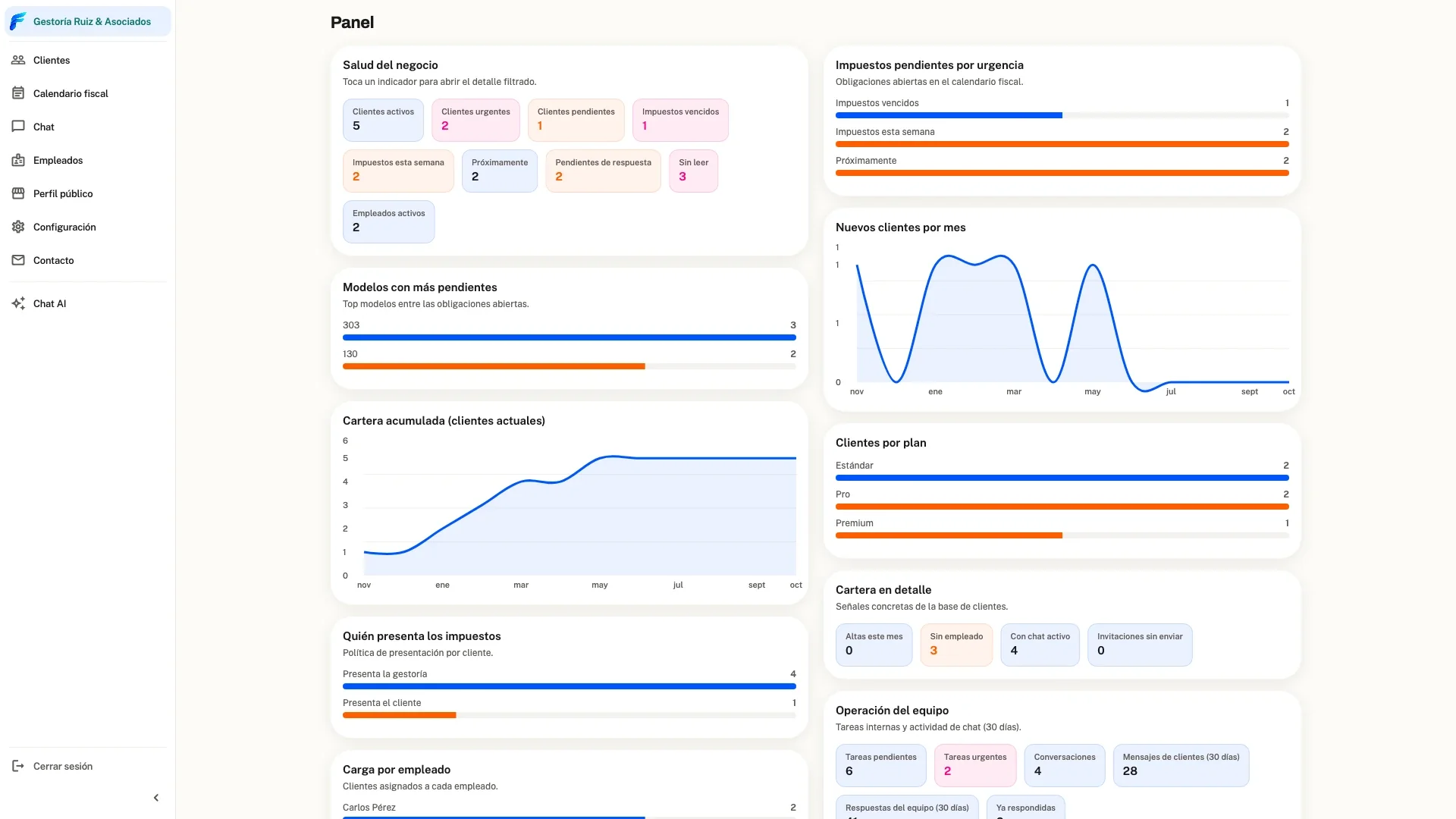
Your whole portfolio in one panel: KPIs, tax calendar, tasks and staff per client.
Clients use a modern platform under your firm’s identity.
Start free
Activate your portal with no setup fee and no minimum clients.
Add your portfolio
Create new accounts or receive freelancers and SMEs already on FacturaFácil and assign them to your team.
Operate from one place
Enter each client workspace, use the tax calendar and export to A3 or Sage 50.
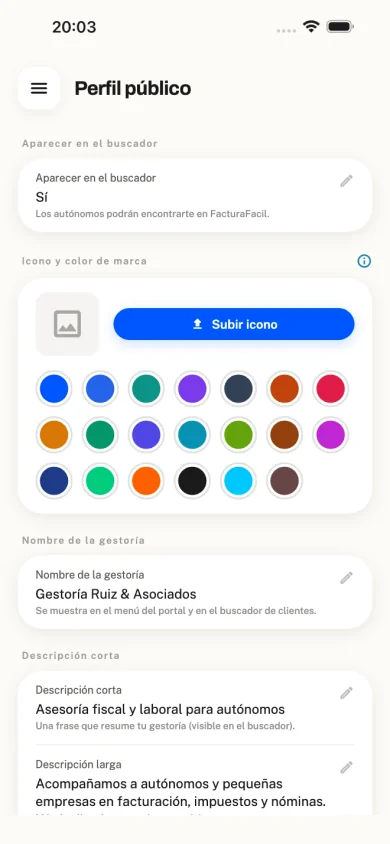
Add your brand and public profile
Logo and colours so your clients recognise you in the app, plus a public profile with your services in the partner directory.
KPIs, tax calendar and team in a layout built for day-to-day firm work.
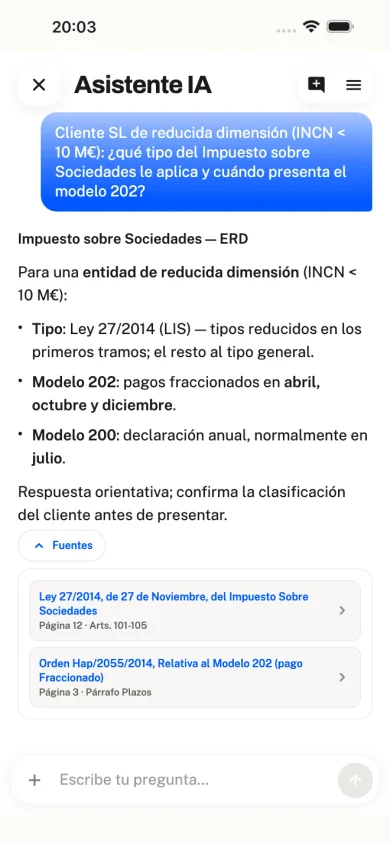
Built into the portal and trained on Spanish law and regulations. You can see the sources for each answer and know which texts and documents the AI consulted.
Clients see your firm, not our brand. We are not an accounting firm: we do not file taxes, provide advisory services or compete for your clients. We do not bill your clients either — they pay you directly.
A demo is optional. Contact us with your business email and we'll send you a link to access your portal.